Why You Cannot Unlock Certain Brainrots
Common reasons players cannot unlock certain Brainrots and how to fix progression issues.
If you’ve been playing Find the Brainrot for a while, you might run into a confusing situation: you clearly reached a Brainrot location, touched it, or solved the puzzle leading to it — but it doesn’t unlock in your collection. This is a common issue players experience on Roblox, especially in exploration games where collectibles are tied to triggers, puzzles, or server states. In most cases, the problem isn’t a bug. It usually happens because one of the game’s mechanics didn’t fully register or a required step was missed. Here are the most common reasons Brainrots fail to unlock and what you can do about it.
You Didn’t Actually Trigger the Collection
In many Roblox collection games, simply reaching the object isn’t always enough. The game needs a trigger event to register that you collected it.
Sometimes players:
- Walk past the Brainrot without touching the hitbox
- Jump over it instead of walking into it
- Touch it from an angle that doesn’t trigger the collection
- If the Brainrot doesn’t disappear or your index doesn’t update, walk directly into the object again and pause for a second.
- In some cases, the collection animation or sound may appear slightly delayed.
The Puzzle Was Not Fully Completed
Some Brainrots are tied to puzzle rooms or triggered mechanisms. Even if you see the Brainrot object, the game may require the puzzle state to complete before the collectible officially unlocks.
This often happens when:
- Buttons are pressed in the wrong order
- A puzzle resets without players noticing
- Another player interrupts the puzzle sequence in a public server
- If this happens, leave the room and redo the puzzle from the beginning. Make sure the final step activates correctly before touching the Brainrot.
A Door or Gate Was Opened the Wrong Way
Certain Brainrots are locked behind gates that require a code or environmental clue.
In public servers, players sometimes open doors while others are nearby. If the door is already open when you enter, the trigger may not activate properly for your character.
When this happens, the safest fix is to:
- Leave the area
- Wait for the door to reset
- Enter again and unlock it yourself
- This ensures the game registers your progress correctly.
The Server Didn’t Register Your Progress
Roblox servers occasionally fail to update collectibles immediately.
This can happen if:
- The server is lagging
- Many players are interacting with the same object
- Your connection briefly drops
- If you touched a Brainrot and nothing happened, try leaving the server and joining a new one.
- In many cases, collecting Brainrot again in a fresh server fixes the issue.
Another Player Triggered the Event First
This mostly happens in public servers.
Some Brainrots are linked to events such as:
- Opening hidden entrances
- Activating switches
- Completing puzzle rooms
- If another player triggers the event while you are nearby, the system might not register the progress for everyone present.
- You may need to wait for the mechanic to reset or rejoin the game and activate it yourself.
You Found the Object but It’s Not the Actual Collectible
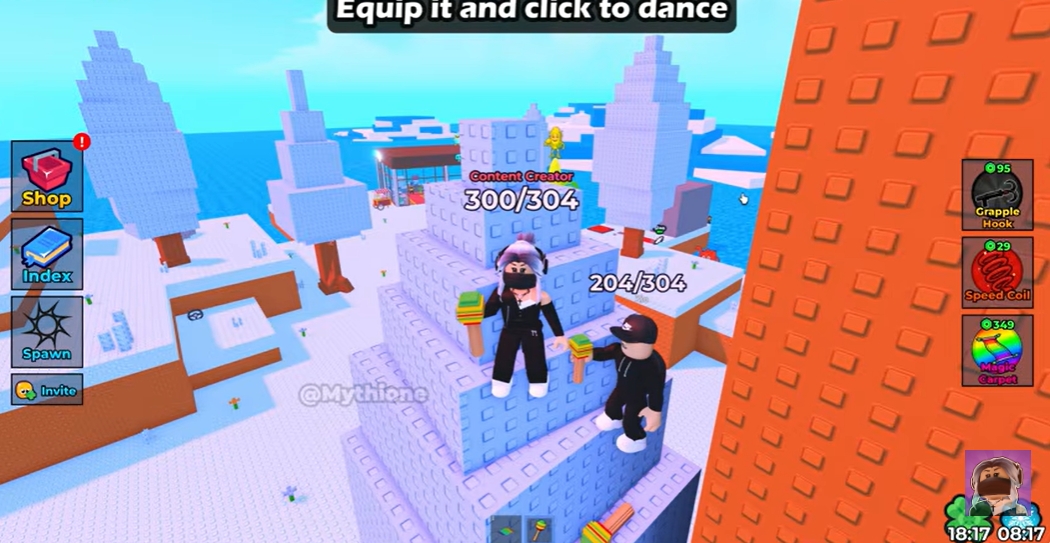
Sometimes the environment contains objects that look similar to Brainrots but are part of the map design.
Players occasionally mistake decorations or preview objects for real collectibles.
If touching the object does nothing and your index doesn’t update, check whether the object:
- Has a glow or highlight effect
- Plays a sound when touched
- Disappears after interaction
- Real Brainrots usually include at least one of these signals.
The Brainrot Requires a Hidden Entrance
A common confusion happens when players see a Brainrot through a wall or behind a barrier.
They assume touching the visible object should unlock it.
But in many cases, the game expects you to reach the Brainrot through a hidden entrance or alternate path.
If you can see the Brainrot but cannot physically reach it, the real path is probably somewhere nearby.
Search for:
- Hidden tunnels
- Invisible walls
- Alternate climbing routes
- The visible Brainrot is often just a clue pointing toward the real entrance.
Your Collection UI Hasn’t Updated Yet
Occasionally the collectible works, but the interface updates slowly.
Before assuming something is broken, check your Brainrot index again after:
- Leaving the area
- Opening and closing the menu
- Rejoining the server
- Sometimes the unlock appears after a short delay.
What to Do If a Brainrot Still Won’t Unlock
If none of the fixes above work, try these simple steps.
First, rejoin the game in a new server. This clears most temporary issues.
Second, return to the location and trigger the collection again.
Finally, make sure you completed all puzzle steps connected to that Brainrot. Some collectibles only register after the entire mechanic finishes.
In most cases, the problem resolves itself after switching servers or redoing the trigger.
Why This Happens in Exploration Games
Games like Find the Brainrot rely on many small triggers: puzzle states, doors, switches, hidden rooms, and player interactions.
Because everything is happening in a shared multiplayer server, small timing issues can occasionally interrupt the process.
It’s not unique to this game — it happens in many Roblox collectible games.
The good news is that most unlock problems are temporary and easy to fix once you understand what causes them.